
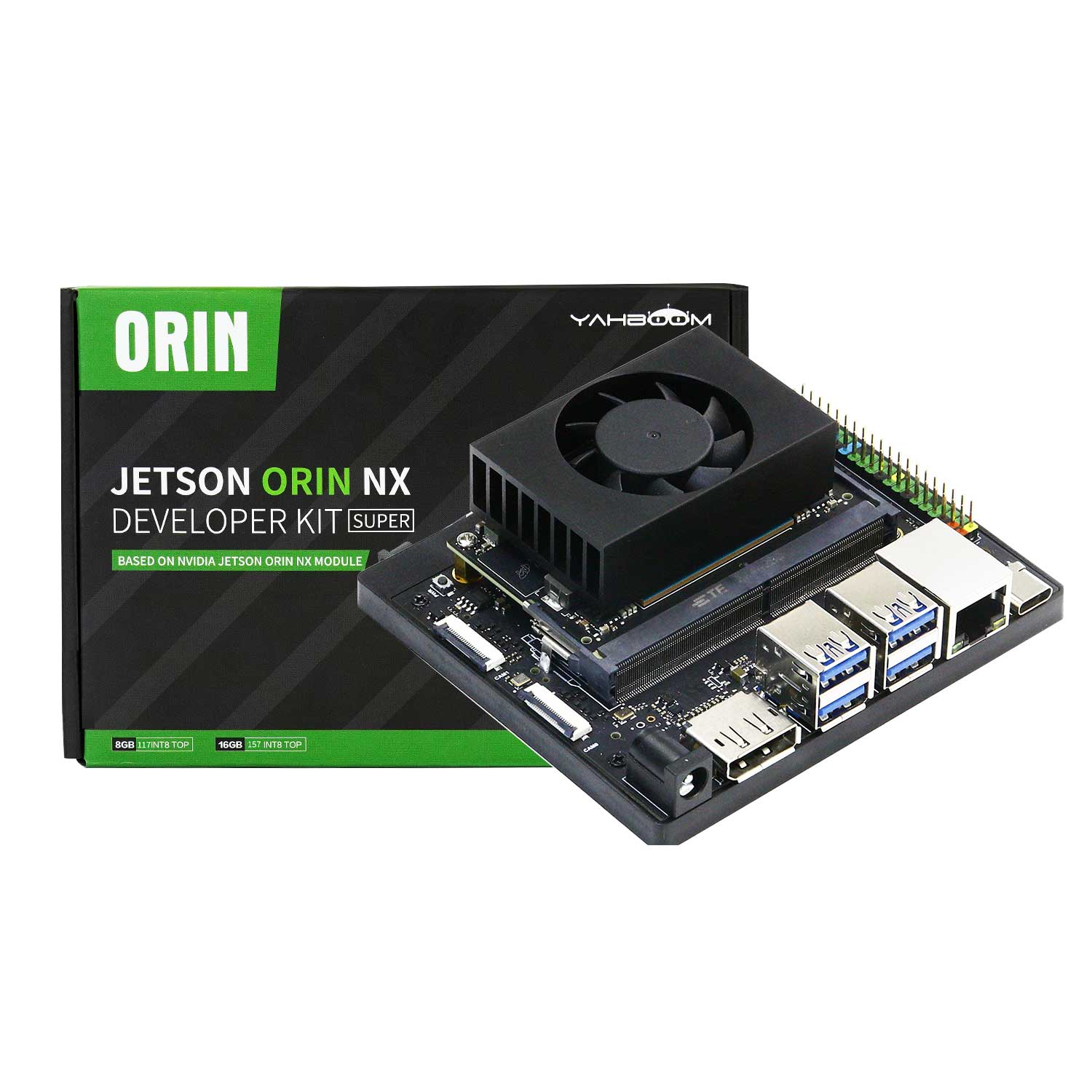


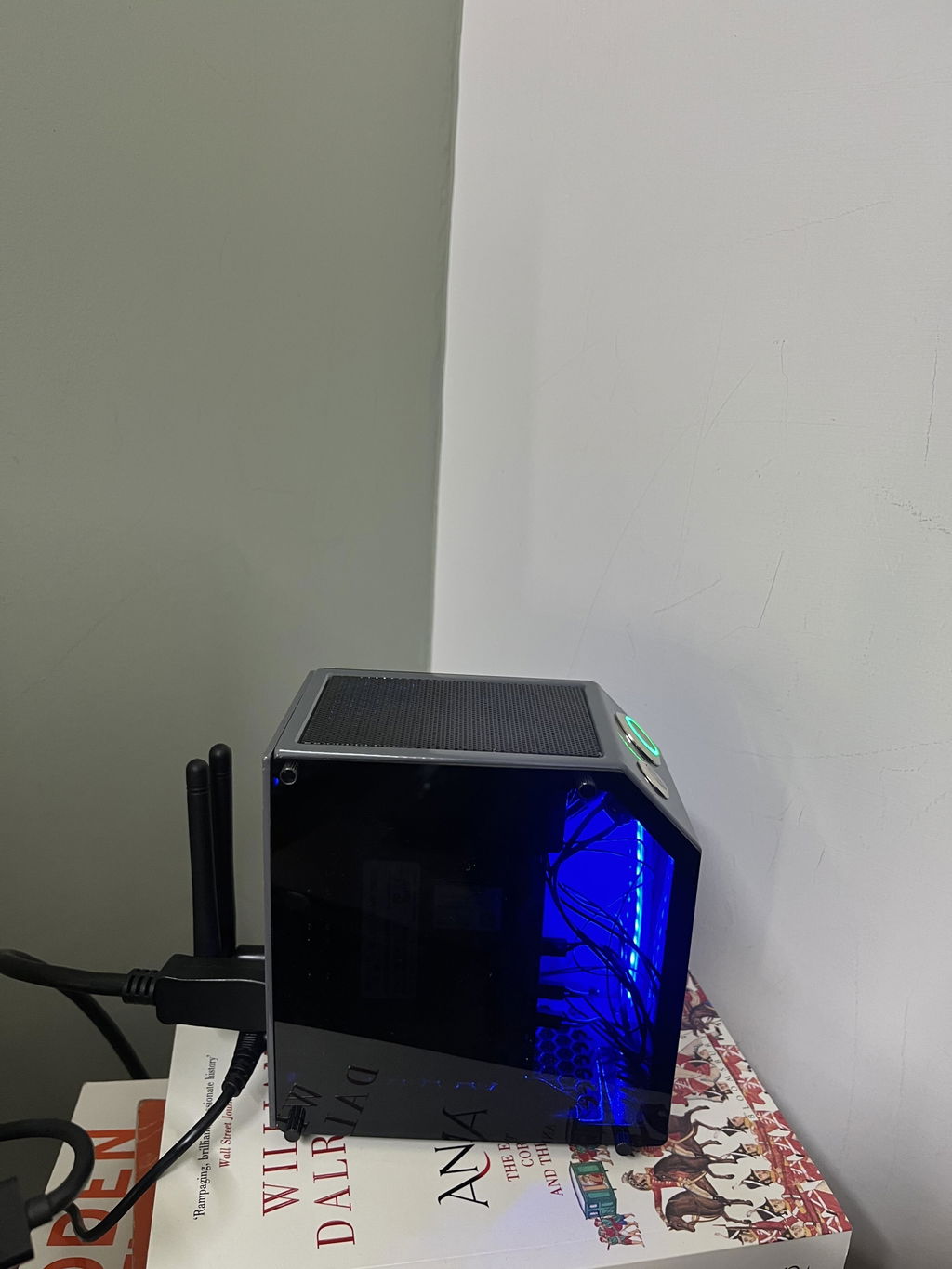
El kit para desarrolladores Jetson Orin NX SUB consta del módulo central Jetson Orin NX de NVIDIA y la placa base Yahboom Jetson Orin NX. La memoria RAM es de 8 GB/16 GB y la potencia de procesamiento puede alcanzar 70 TOPS y 100 TOPS respectivamente. Yahboom proporcionará un SSD M.2 de 256 GB que se ha incorporado al sistema, así como una tarjeta de red WiFi instalada, una fuente de alimentación y otros accesorios. Los usuarios pueden disfrutar de Orin NX rápidamente sin pasos complejos de configuración del entorno.
Características
- La última placa base Orin NX es perfectamente compatible con el módulo central Jetson Orin NX de Nvidia, con un diseño razonable y un rendimiento estable.
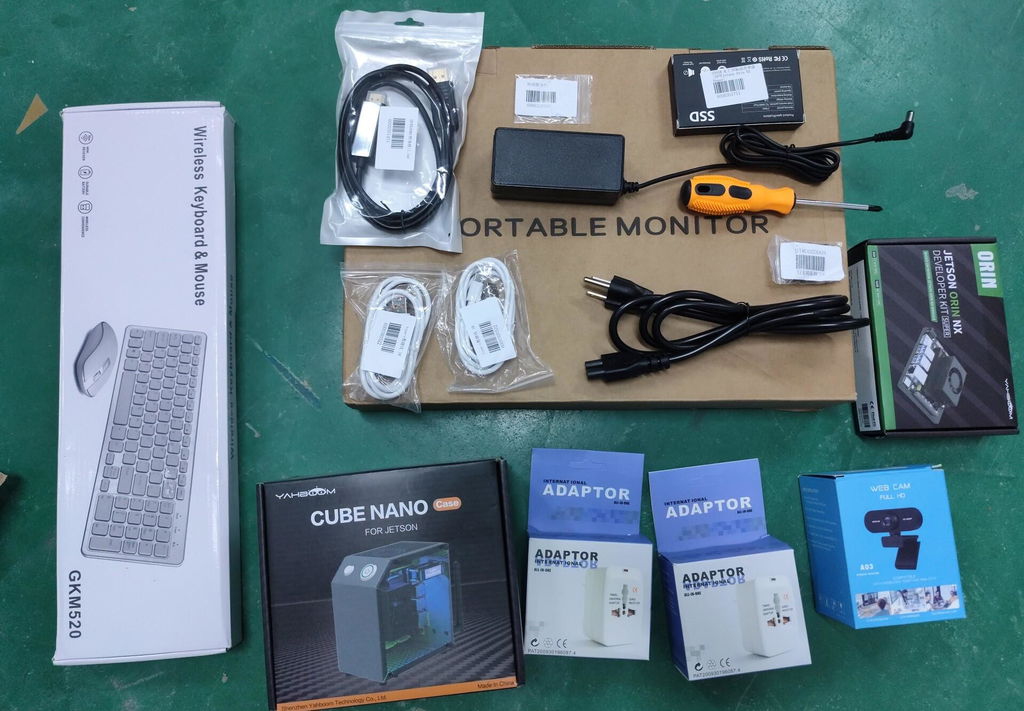
- El kit para desarrolladores incluye una unidad de estado sólido SSD M.2 de 256 GB, una antena de tarjeta de red WiFi y una fuente de alimentación.
- En comparación con Jetson Xavier NX, los recursos de la interfaz de Jetson Orin NX se optimizan y actualizan, el rendimiento se mejora entre 3 y 5 veces y la velocidad de lectura y escritura de la memoria se duplica.
- Basado en el sistema Ubuntu 20.04, Yahboom proporciona muchos tutoriales relacionados con ROS y visión artificial y códigos de fuente abierta.


Lista de embalaje


Enlace del tutorial
Placa base Jetson Orin NX SUB con 8 GB/16 GB de RAM
Vendedor: Yahboom
SKU: 3000101327
Need help with choosing the right product?
Click here to reach out to one of our experts.
El kit para desarrolladores Jetson Orin NX SUB consta del módulo central Jetson Orin NX de NVIDIA y la placa base Yahboom Jetson Orin NX. La memoria RAM es de 8 GB/16 GB y la potencia de procesamiento puede alcanzar 70 TOPS y 100 TOPS respectivamente. Yahboom proporcionará un SSD M.2 de 256 GB que se ha incorporado al sistema, así como una tarjeta de red WiFi instalada, una fuente de alimentación y otros accesorios. Los usuarios pueden disfrutar de Orin NX rápidamente sin pasos complejos de configuración del entorno.
Características
- La última placa base Orin NX es perfectamente compatible con el módulo central Jetson Orin NX de Nvidia, con un diseño razonable y un rendimiento estable.
- El kit para desarrolladores incluye una unidad de estado sólido SSD M.2 de 256 GB, una antena de tarjeta de red WiFi y una fuente de alimentación.
- En comparación con Jetson Xavier NX, los recursos de la interfaz de Jetson Orin NX se optimizan y actualizan, el rendimiento se mejora entre 3 y 5 veces y la velocidad de lectura y escritura de la memoria se duplica.
- Basado en el sistema Ubuntu 20.04, Yahboom proporciona muchos tutoriales relacionados con ROS y visión artificial y códigos de fuente abierta.
Lista de embalaje
Enlace del tutorial


Questions & Answers
Have a Question?
-
Hello, I got a Jetson Orin nx 16gb in jetpack 6.2 but it has been some time since the jetpack 7 has been out and support the orin. I saw the message on April saying you are not supporting it at that time. But it has been 5 months since. Besides jetpack 7 came with lots of very interesting features and we really need it. Other vendors are beginning to support it so please do the same or at least show use how we can put the official version. Thanks.
Hello,
Yahboom has already arranged technical staff to work on the Jetpack 7.2.1 development; please allow for an estimated one to two months.
We expect to notify you once it is ready.
Thanks for your understanding.
have a nice day!
Yahboom Team
-
Hi, how can i activate SUPER MODE? i had flashed 6.2 versión but can't see that model.
Hi Alberto,
Thank you for reaching out with your question about activating SUPER MODE on your Jetson Orin NX Developer Kit.
To better assist you, could you please let us know when you purchased your device?
All units currently sold through our official store are the SUPER version, which includes the SUPER MODE feature.
If your device is an earlier non-SUPER version, our technical support team can still help you explore available options.
Please feel free to email them directly at support@yahboom.com with your device details and system information, and they will provide personalized guidance.
If you have any other questions in the meantime, please don't hesitate to let me know.
hope this helps.
Yahboom Team
-
Hello Tech Team: Which NVMe SSD can I install internally in my "Yahboom Jetson Orin NX SUPER 16GB RAM"? Just PCIe 3 or PCIe 4 as well? Also, are there any thermal issues with PCIe 3x4? Thanks for your help.
Hello,
Its SSD supports both PCIe 3 and PCIe 4. If you're worried about heat dissipation, you can get a heatsink for the SSD.
Hope this helps.
Have a good day!
Yahboom Team
-
If I install my own SSD with Ubuntu 24.04 and JetPack 7, will the system work in all its glory? I understand your software stack, tutorials and models won't be on my SSD. But I will be able to use the system nevertheless, right?
hi,
no, the Orin board does not currently support the installation of Ubuntu 24.04 and Jetpack 7.
hope this helps.
best regards!
-
how do i setup the bootloader?
hi,
please email to professional technical support and we will help you:
best regards!
Yahboom Team
-
What is the jetpack version pre-installed ?
hi, it is 6.2 version and if you need more info please email to support@yahboom.com
-
I bought an NX16 kit from you, and it stopped working after one and a half months. It gets stuck at the beginning of the NVIDIA screen. I tried too many things to make it work again, but none of them worked. Did any other customer face the same issue with this kit? Is there a way to return or exchange it after one and a half months?
hi,
thanks for your message.
please email to support@yahboom.com
and our professional technical support will figure it out asap!
thanks for your understanding.
have a nice day!
-
How can I use it remotely for robotics. I want to use a battery/UPS. With 19v and 40w. Please provide the information regarding this.
Hello,
Thanks for your patience.
1. How can I use it remotely for robotics?
Connect a monitor to the same LAN as your computer, and then remotely control the robot via VNC.
2. We don't recommend a battery-powered solution.
Alternatively, you could consider using a ROS driver board powered by a 12V battery.
If you have any questions, please leave a message or email: support@yahboom.com
Have fun!
-
How long will this device be supported in terms of (operating system, etc) security updates? I'm asking since the Ubuntu version it's based on has past it's end-of-life. If it won't receive security updates, is it o.k. for me to install a newer ubuntu? What else would I have to install if I install the operating system from scratch?
Hello, sorry that it is currently a relatively new system officially supported by NVIDIA, the highest version is Ubuntu 22.04, and no higher versions can be used to install a newer one.
-
I cannot find the stated input voltage range, the only information I could find is that 19V is the optimal power supply voltage. Will a 12V supply work?
Must use 19V power supply.
-
Hi, We bought a NVIDIA NX16 kit dev. Where can we download the complete documentation ? (with GPIO connector pinout and levels, jumpers, ...) Regards. Bernard
Hello friend, you can check this tutorial link: http://www.yahboom.net/study/Jetson-Orin-NX
If you have any other questions when using, contact us by this E-mail: support@yahboom.com. Technical support will help you solve the problem.